


Why IP Addresses Matter to Families: Protecting Your Home in a Connected World
In today’s digital age, your home isn’t just where you live—it’s where you connect. From smart TVs and tablets to gaming systems and security cameras, families rely on the internet for nearly everything. At the center of all this connectivity is something most people rarely think about the IP address.
Understanding IP addresses can help your family stay safer, smarter, and more in control online.
🌐 What Is an IP Address?


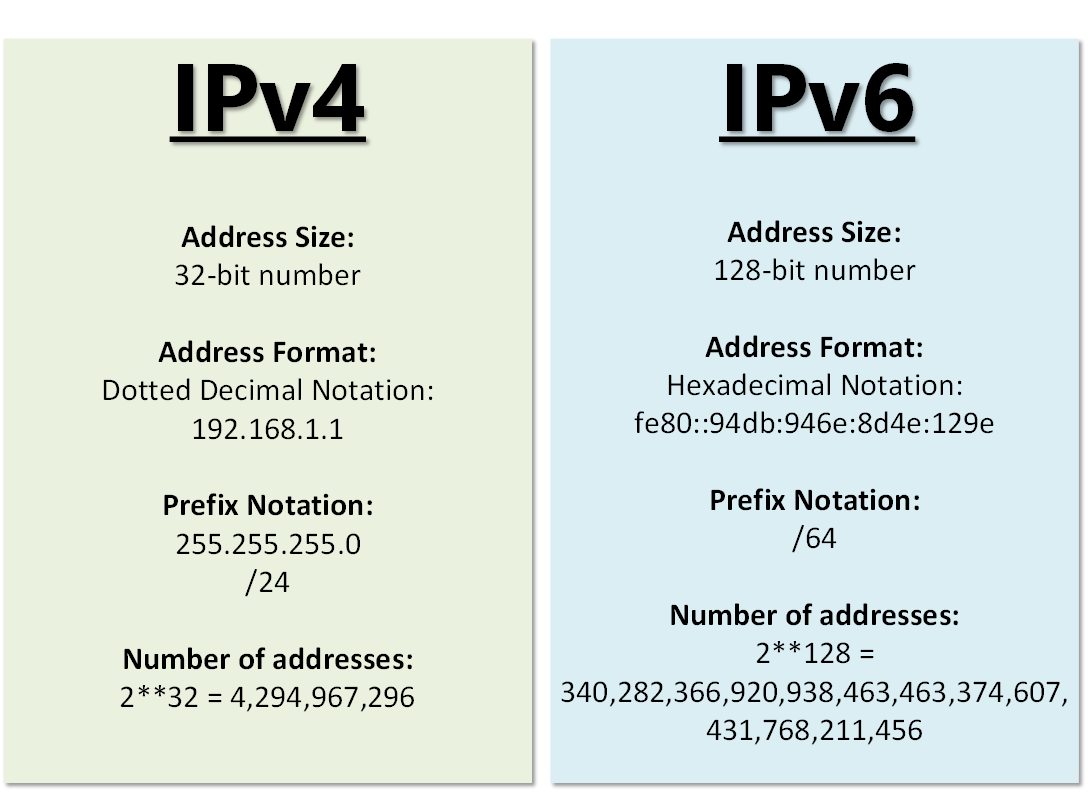
An IP (Internet Protocol) address is a unique set of numbers assigned to every device connected to the internet. Think of it like your home address—but for your devices.
Just like mail needs an address to arrive at your house, data online needs an IP address to reach your phone, laptop, or smart TV.
There are two main types:
- IPv4 (e.g., 192.168.1.1) – the most common
- IPv6 (longer, more advanced format)
🏡 Why IP Addresses Matter for Families
1. Protecting Your Home Network
Every device in your home shares your network. If your IP address is exposed or unsecured, it can open the door to:
- Hackers attempting to access your devices
- Unauthorized users connecting to your Wi-Fi
- Potential data breaches
Why this matters: Families often store sensitive information—photos, financial details, school records—on connected devices.
2. Keeping Children Safe Online
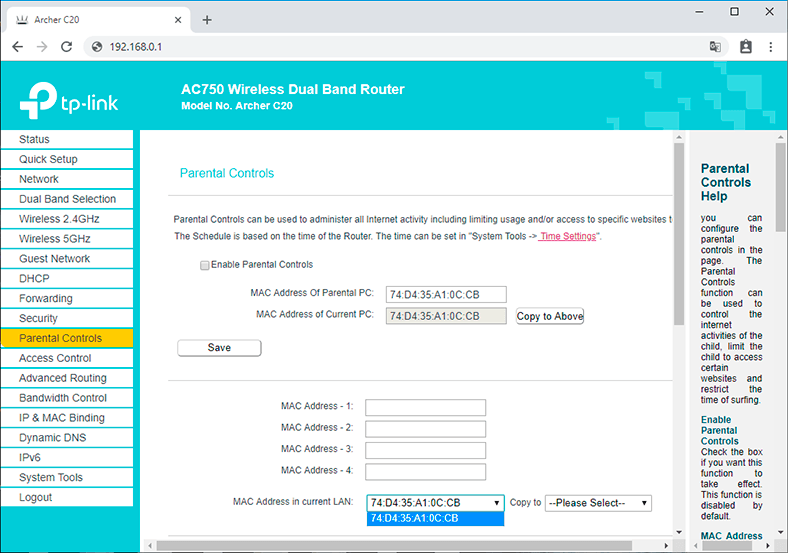

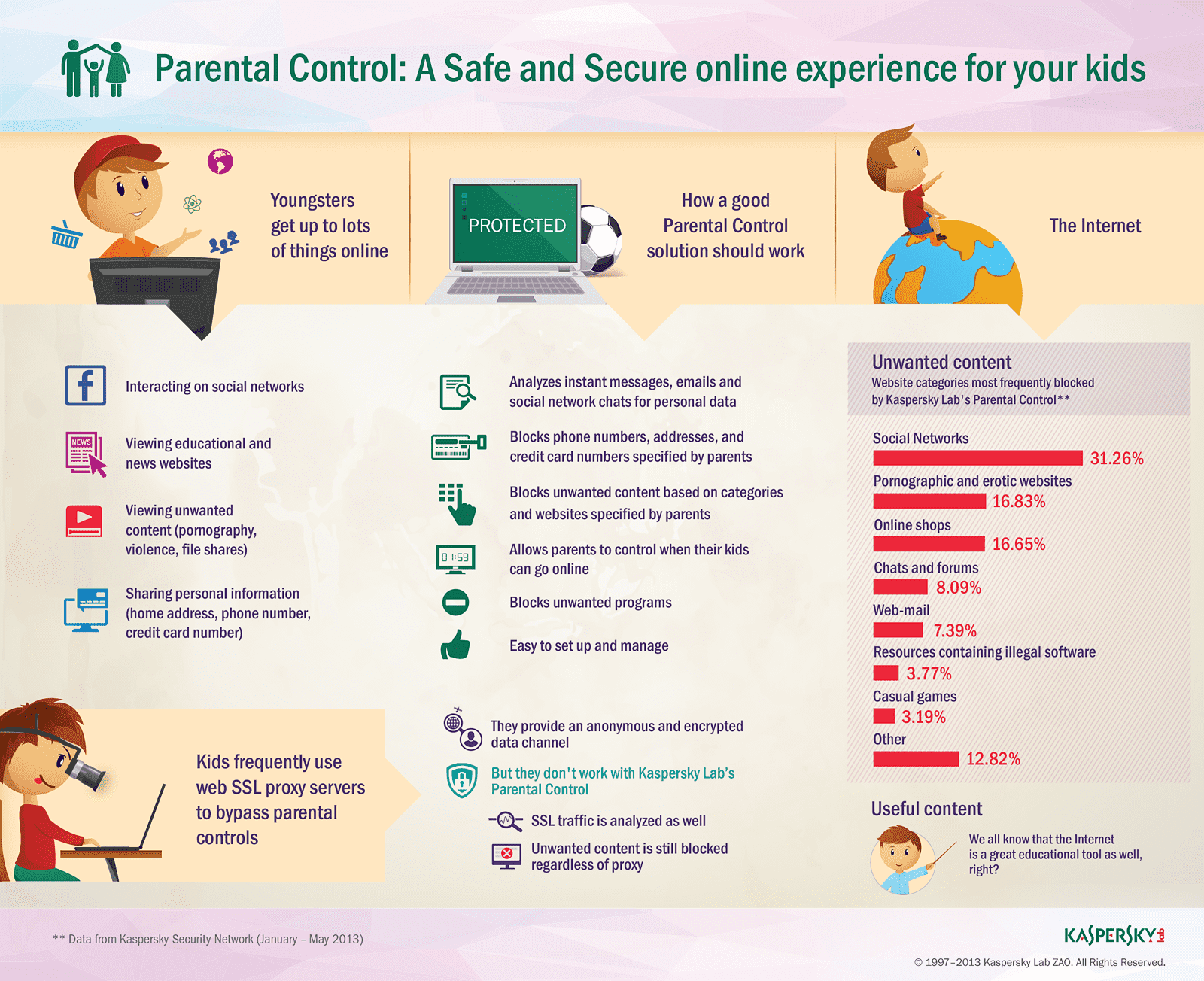
IP addresses play a role in how parental controls work.
With the right setup, parents can:
- Block inappropriate websites
- Monitor device usage
- Set screen time limits
- Restrict access during certain hours
Example: Your router can identify each child’s device by its IP address and apply specific rules.
3. Managing All Your Smart Devices
From doorbell cameras to smart thermostats, modern homes can have 10–30+ connected devices.
Each one has its own IP address.
This allows your router to:
- Keep devices organized
- Ensure smooth internet performance
- Prevent conflicts between devices
Why this matters: Without proper management, your network can slow down—or become vulnerable.
4. Supporting Remote Work & School
Whether it’s Zoom classes, homework portals, or remote jobs, IP addresses help maintain stable connections.
They ensure:
- Video calls connect properly
- Files upload and download correctly
- Devices communicate without interruption
For families, this means fewer disruptions during important moments.
5. Understanding Your Digital Footprint
Your public IP address can reveal:
- Your general location (city/region)
- Your internet provider
- Your online activity patterns (to websites and services)
While it doesn’t show your exact home address, it still matters for privacy.
Why this matters: Families should understand how their online presence can be tracked and protected.
🔐 Simple Ways Families Can Stay Safe
✔ Secure Your Wi-Fi Network
- Use a strong password
- Enable WPA3 or WPA2 encryption
- Change default router settings
✔ Use Parental Controls
Many modern routers and apps allow you to manage devices by IP address.
✔ Keep Devices Updated
Updates fix security vulnerabilities that attackers may exploit.
✔ Consider a VPN
A Virtual Private Network hides your public IP address, adding an extra layer of privacy.
💡 Real-Life Example
Imagine your child is using a tablet for school. Your router assigns it an IP address and:
- Allows access to school websites
- Blocks unsafe content
- Limits usage after bedtime
All of this happens because the network recognizes that device through its IP address.
💬 Final Thoughts
IP addresses may sound technical, but they play a powerful role in everyday family life. They help your devices communicate, keep your home network organized, and—most importantly—support your family’s safety online.
By understanding the basics, you’re taking an important step toward creating a secure and smart digital home.
✨ For Your Family’s Peace of Mind
In a world where everything is connected, knowledge is protection.
Take a few minutes today to review your home network settings—you’ll be glad you did.